
Enterprise guide library
On this page
Product tour
Follow the complete ClusterPilot journey—from the first provider account to infrastructure, Kubernetes, add-ons, operations and acceptance evidence.
The complete journey in one minute
ClusterPilot is a customer-hosted Kubernetes operations control plane. The journey begins before a cluster exists: establish a validated provider boundary, save infrastructure-safe defaults, provision role-based machines, create Kubernetes Core, add platform services, and retain the operational proof.
1. Add and validate a provider account
Open Cloud Providers, choose Add Account, and complete the guided Type → Credentials → Validate sequence. Give the account a recognizable name, choose Hetzner or IONOS, enter the required credentials, then choose Create and Validate.
ClusterPilot guides you through the Hetzner and IONOS provider workflows.
Stored credentials are masked after submission and are never copied into infrastructure or cluster plans.
Continue when the status is Valid and the account is ready for infrastructure.
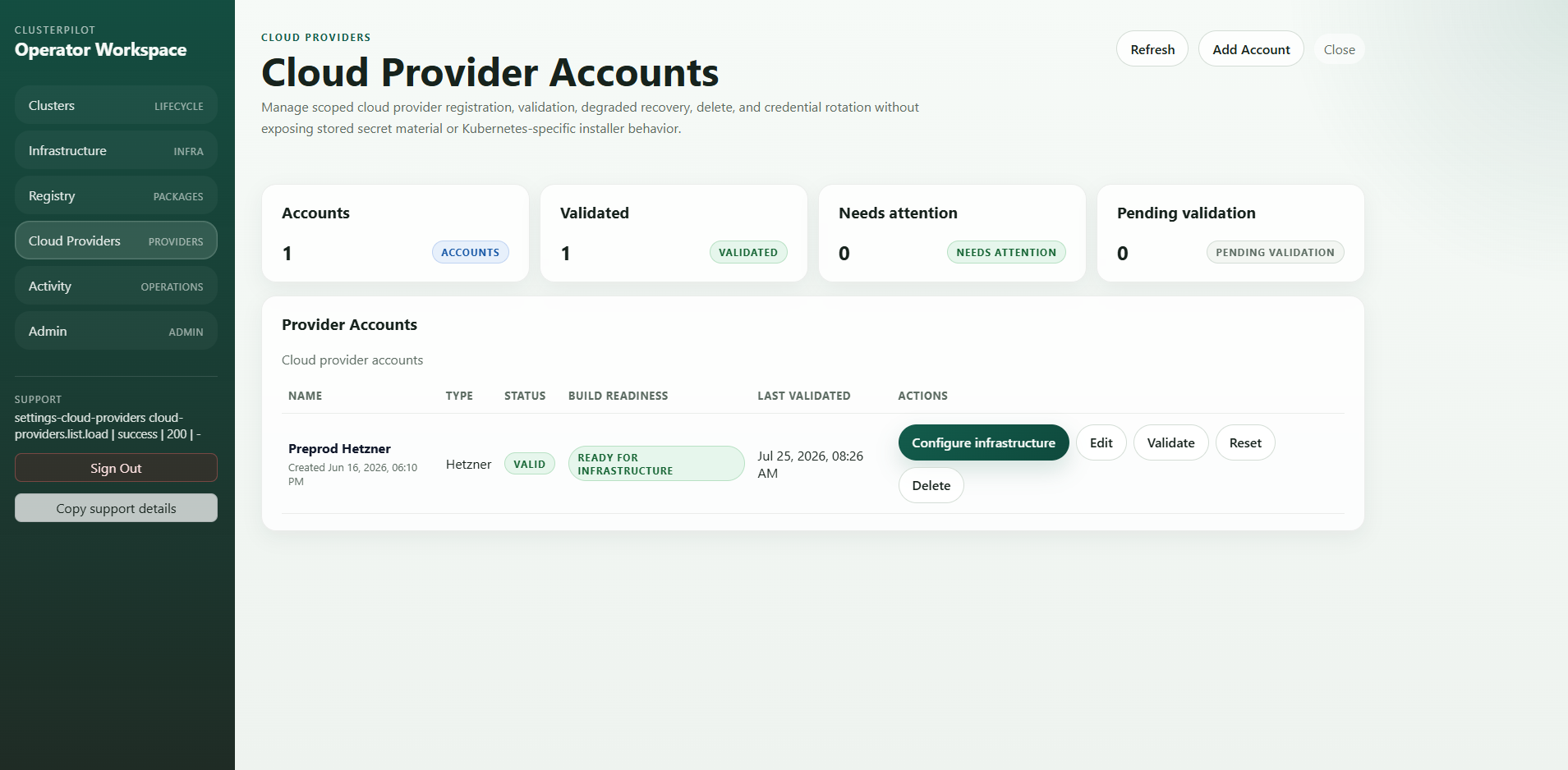
- ✓The account appears in the provider inventory
- ✓Status is Valid and ready for infrastructure
- ✓Edit, Validate, Reset and Delete are clear actions
- ✓Stored credential values stay masked
2. Configure the provider infrastructure boundary
Validation proves that ClusterPilot can use the provider account; it does not decide how future infrastructure should be built. Choose Configure infrastructure and save the provider-safe defaults that new infrastructure drafts may inherit.
| Configuration area | What the operator decides | Why it is separate |
|---|---|---|
| Network | Existing network or VDC/LAN boundary, region and provider-specific placement | Prevents a valid credential from silently choosing topology |
| Access | Managed SSH key references, approved public key import and host-access policy | Keeps access intent explicit and reviewable |
| Firewall | Existing firewall references or provider-managed rules | Separates network policy from VM sizing |
| Provider defaults | Image, instance or volume defaults and supported provider metadata | Creates a safe starting point without hiding the final plan |
3. Plan and provision role-based infrastructure
Create a new infrastructure record from the validated provider account. Define the Admin, Control Plane and Worker groups, choose provider catalog values, select the release-owned OS hardening profile, apply the approved network and access metadata, and preview the deterministic plan before persisting it. Provisioning is a separate deliberate action and produces its own OperationRun.
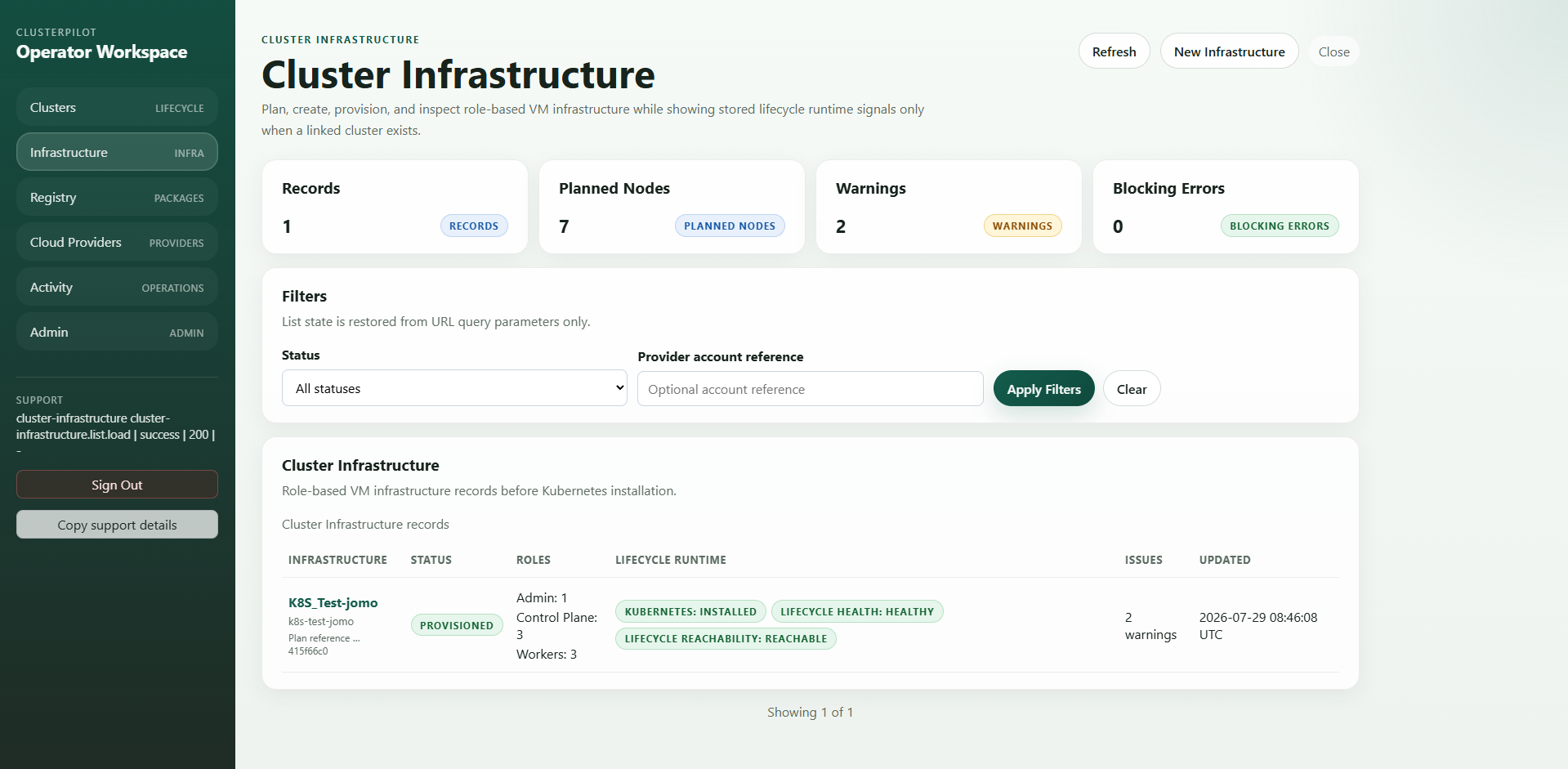
| Review before provisioning | Expected decision |
|---|---|
| Provider account | Validated account and approved infrastructure defaults |
| Role groups | Explicit Admin, Control Plane and Worker counts |
| Catalog and image | Supported region, instance/server type and operating-system image |
| OS hardening | Explicit standard-v1 or approved hardened profile snapshot; never silently applied to legacy records |
| Network and access | Network/VDC, firewall, SSH and public-network posture |
| Plan outcome | No blocking error; warnings understood and accepted |
4. Create Kubernetes Core
Once infrastructure is provisioned, open Create cluster and select that infrastructure record. The core wizard keeps the cluster contract explicit: environment and node facts, Kubernetes version, network and runtime, registry and repository profile, air-gap profile when required, immutable package/image resolution, hardening, preparation and bootstrap plans, guardrail approval, then OperationRun start.
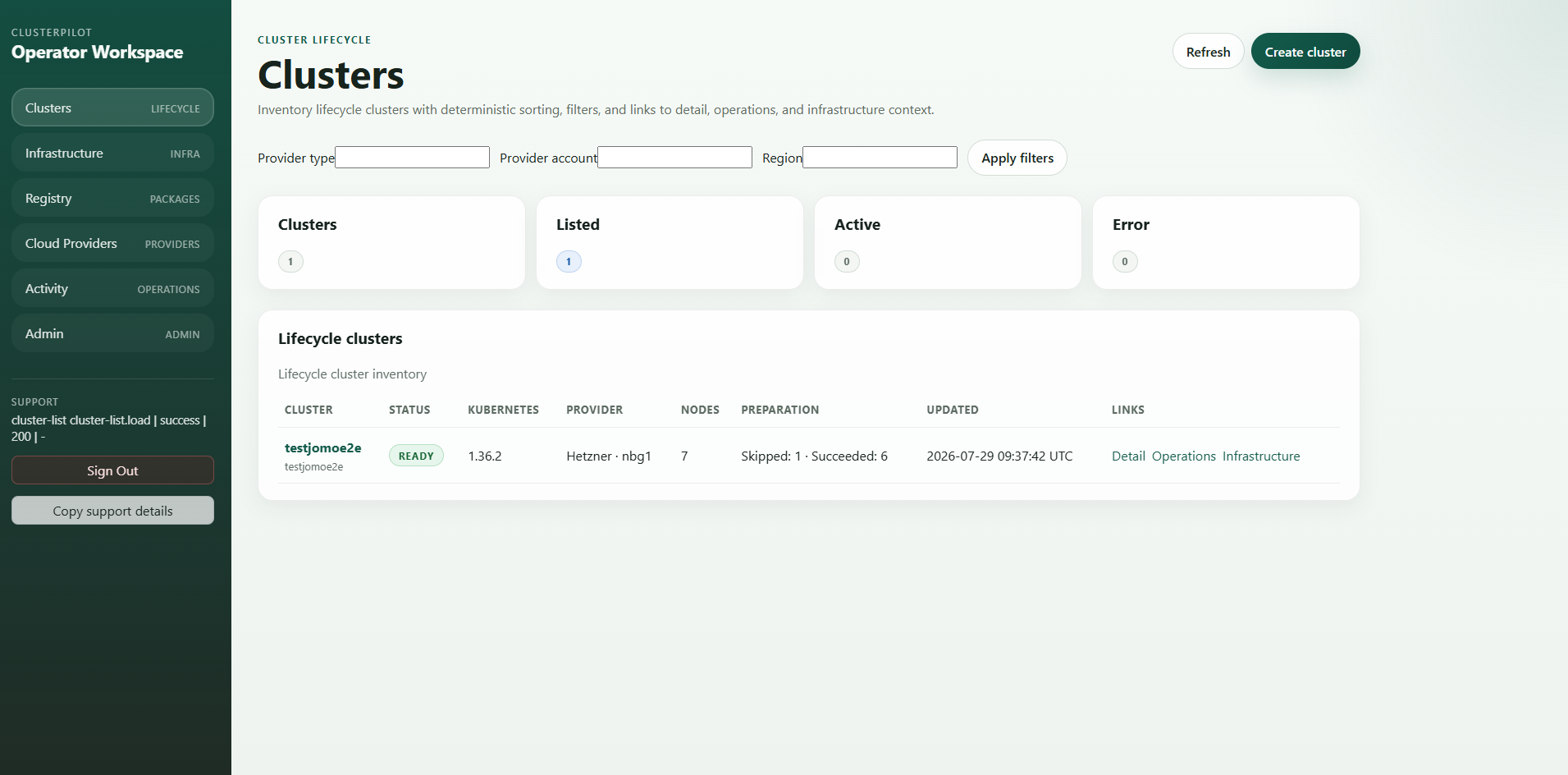
Cluster creation cannot replace the provider and infrastructure gates that come before it.
Inspect version, CNI, runtime, registry, CIDRs, package locks, OS hardening and planned node preparation.
Start one auditable OperationRun and follow it until the cluster is ready for add-ons.
5. Prepare distribution and install add-ons
Choose the required built-in or approved custom add-ons after Kubernetes Core is ready. ClusterPilot resolves the registry profile, platform image pack and immutable locks, prepares Harbor mirror or promotion work when required, previews the add-on plan, runs preflight checks, installs, and evaluates semantic health.
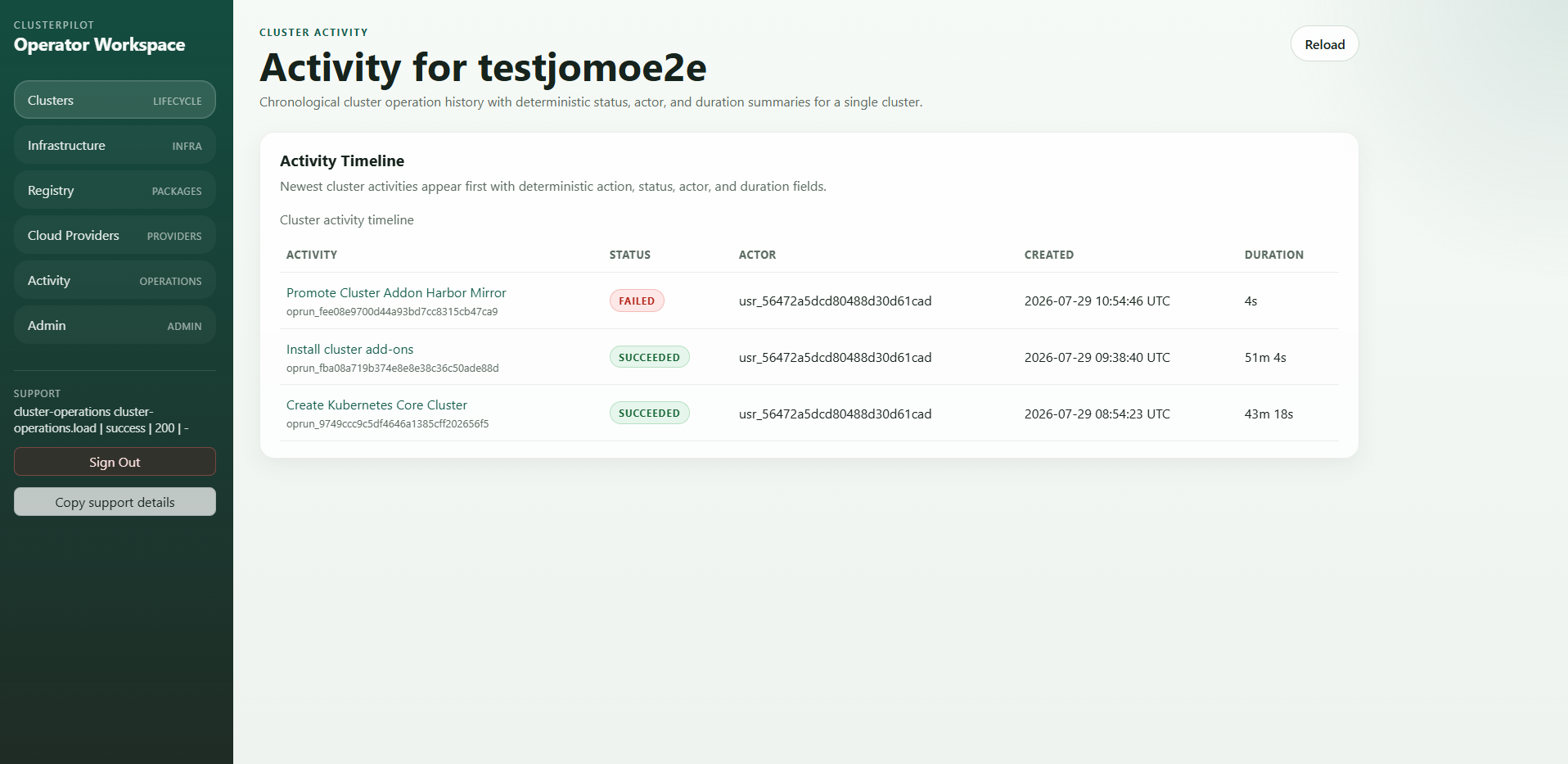
| Stage | What ClusterPilot controls |
|---|---|
| Resolve | Approved add-on, version, dependency, registry profile and immutable image lock |
| Distribute | Private registry image pack plus Harbor mirror/promotion scope when required |
| Preflight | Cluster readiness, compatibility, dependencies, conflicts and required permissions |
| Install | Bounded lifecycle-agent work in a dedicated OperationRun |
| Accept | Semantic health and retained evidence, not merely running pods |
6. Diagnose and recover from the operation record
Open any activity to see the owning cluster, action type, current step, progress, actor, timestamps, duration and ordered provisioning progress. A failed step exposes a stable code, the next action and sanitized diagnostic references before retry is allowed.
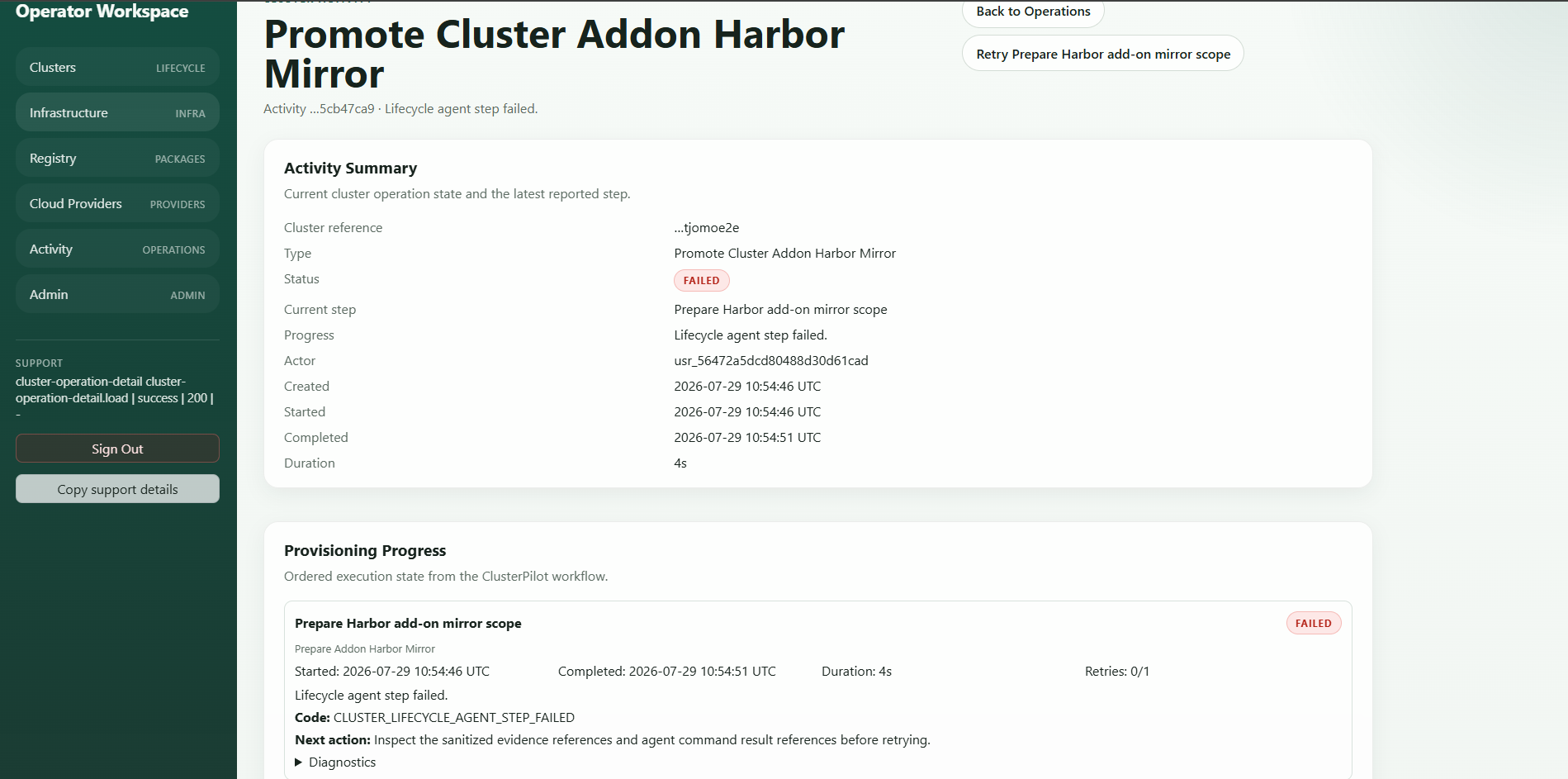
- 01
Inspect the owning step
Confirm the exact action, step, attempt, timestamps and whether any dependent work started.
- 02
Read the stable failure contract
Use the ProblemDetails code, human-readable progress and next action; preserve sanitized evidence references.
- 03
Correct the boundary
Fix credentials, registry scope, provider input, dependency or agent condition before retrying.
- 04
Retry deliberately
Use the scoped retry only when the step is classified safe to replay, then repeat acceptance checks.
7. Govern access and accept the outcome
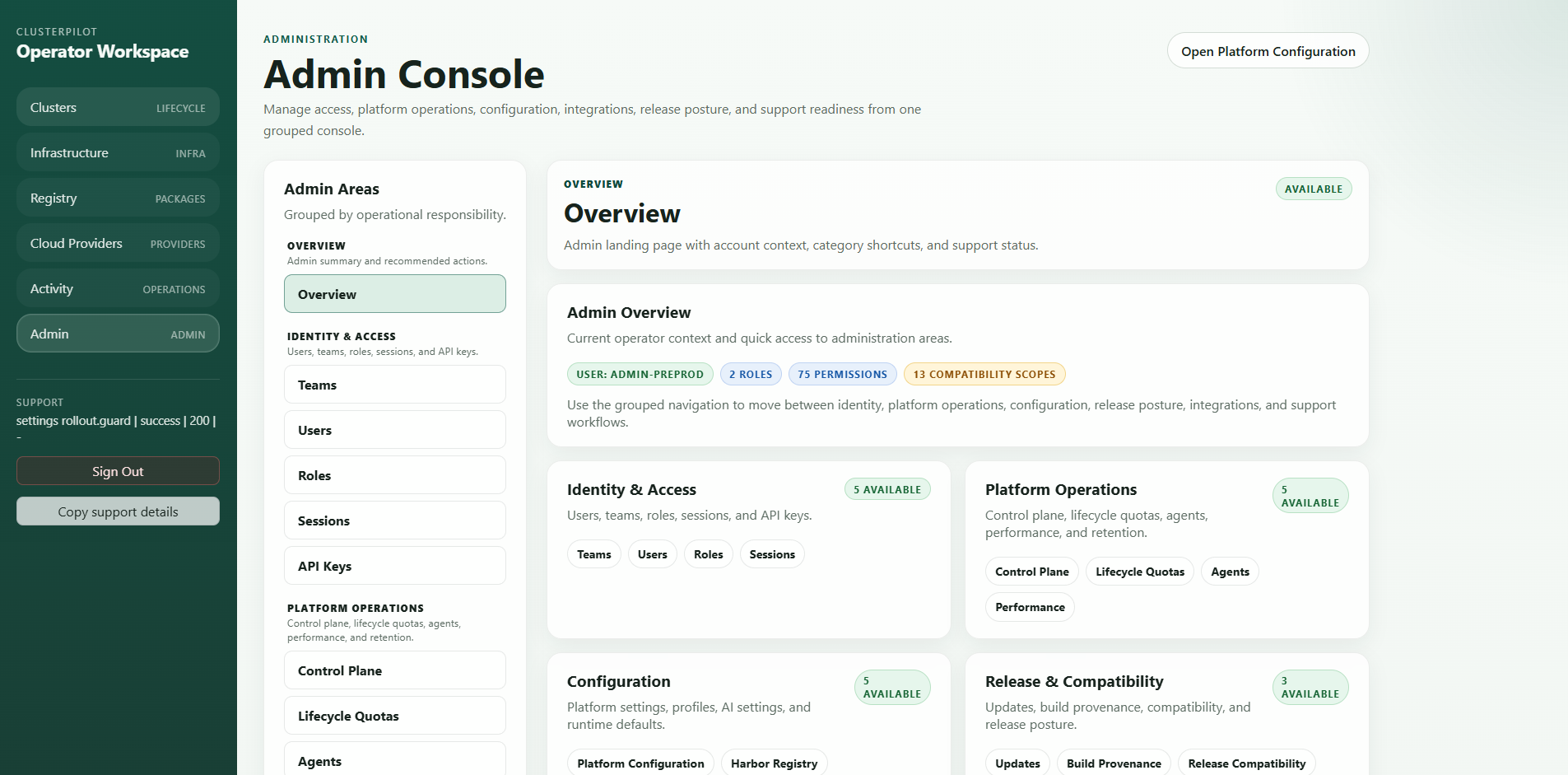
The Admin Console groups identity and access, platform operations, configuration, release compatibility, integrations and support readiness. Use it to keep teams, roles, sessions, API keys, lifecycle quotas, agents, compatibility and platform settings visible alongside operational work.
Finish the journey with acceptance evidence. Run the appropriate Sonobuoy mode when Kubernetes conformance is in scope, verify the cluster health projection, and retain the operation, artifacts and audit correlation required by your change process.
| Evidence | What it proves | Acceptance |
|---|---|---|
| Plan and immutable inputs | Exactly what was admitted | Hash and release identity match review |
| Provider and infrastructure inventory | Which networks, machines, volumes and identifiers exist | Expected topology and ownership |
| Operation steps and bounded logs | What the compatible agent executed | No unexplained failure or secret-shaped output |
| Cluster and add-on health | Core services, nodes, CNI and selected platform services | Required semantic checks pass |
| Artifact manifest and checksums | Evidence integrity and availability | Every retained artifact verifies |
| Audit events | Actor, authorization, decision, confirmation and outcome | Correlation is complete |
Turn the tour into a technical evaluation
Turn the product tour into a practical evaluation: install the platform, connect an agent, configure a provider account, create infrastructure, build Kubernetes Core, install an add-on, run validation and verify backup and restore.
- ✓Named technical sponsor and platform owner
- ✓Clear success criteria
- ✓Prepared provider, DNS and registry settings
- ✓Agreed workflow and result report
- ✓Documented next step
For a guided architecture and evaluation review, contact hello@clusterpilot.de.